
Ever wondered why your VPS slows down even when it seems like you’re not doing much? Or maybe you’ve seen something called “swap” in your dashboard and weren’t quite sure what to make of it. If that sounds familiar, don’t worry. You’re not alone—and today, we’re going to break it down like we’re explaining it to a friend over coffee.
Okay, So What Is Swap Memory?
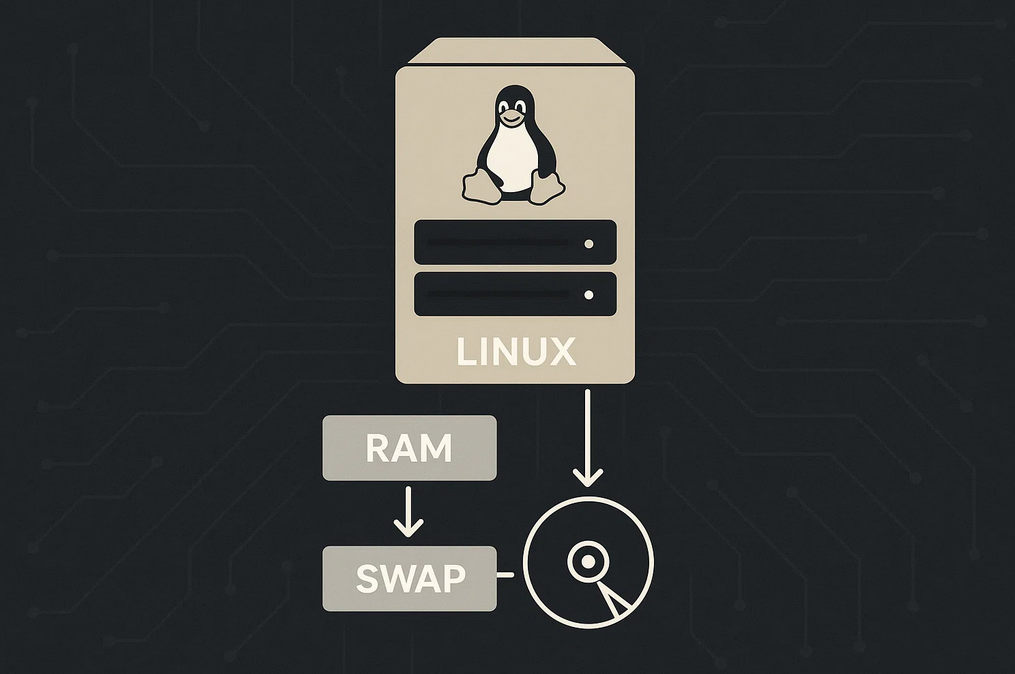
Let’s start with the basics. Your VPS, like your personal computer, has RAM—this is its short-term memory, where it keeps things it’s actively working on. When your server runs out of RAM, it still needs somewhere to temporarily dump stuff. That’s where swap comes in.
Swap memory is like an emergency extension of your RAM, but it’s actually space on your VPS’s disk. It’s slower than real RAM but still helps keep things from crashing when memory runs tight.
Here’s a Quick Analogy
Imagine your RAM is your desk, and you’re working on a big project. You keep all your notes, tools, and coffee right there. But what happens when your desk gets full? You grab a nearby drawer (swap) and throw in things you’re not using right this second. It’s not ideal—you need to open the drawer to grab stuff again—but it keeps your desk from turning into chaos.
Do All VPS Servers Have Swap by Default?
Actually, no. A lot of VPS providers, especially the cheaper or smaller ones, don’t include swap out of the box. That’s mostly because VPS disks can be limited, and disk-based swap isn’t as efficient as physical RAM. But the good news is—you can often add it yourself.
Also Read: How to Remove (^M) Characters from a File in Linux
Should You Enable Swap on Your VPS?
Here’s the part you’re probably most interested in. Whether or not you should use swap really depends on what you’re doing and what kind of VPS you have.
Here’s when it makes sense:
- Your server runs out of RAM occasionally and crashes or slows down.
- You host memory-hungry applications (like databases or PHP-heavy websites).
- You’re using a small VPS (like 512MB or 1GB RAM).
Here’s when you might avoid it:
- You have SSD storage and want to minimize disk wear (writing to swap constantly isn’t ideal).
- Your RAM is almost never fully used.
- You’ve got apps that don’t play well with slow memory access.
TL;DR? If you’re running a low-RAM VPS and occasionally hit performance walls, swap can save your bacon. But it’s not a fix-all, and it doesn’t replace actual RAM.
How to Check If You Have Swap Enabled
swapon --showIf nothing shows up, you don’t have swap active.
How to Add Swap to Your VPS (in Simple Steps)
Don’t worry, this isn’t as complicated as it sounds. Here’s the quick version for most Linux servers (like Ubuntu/Debian):
sudo fallocate -l 1G /swapfile
sudo chmod 600 /swapfile
sudo mkswap /swapfile
sudo swapon /swapfile
Want it to stay after a reboot?
echo '/swapfile none swap sw 0 0' | sudo tee -a /etc/fstabPro Tip: You can replace 1G with 2G or more depending on your needs. Just don’t go overboard.
How Much Swap Should You Add?
The age-old recommendation is swap = 2x RAM, but for VPS hosting, even 512MB–2GB is often enough unless you’re running memory-intensive tasks.
Does Swap Slow Down Your Server?
It can—if your server is constantly using it. Swap is slower than RAM, remember? So it’s best as a safety net, not something your server uses all the time. If your VPS is always in swap, you probably need to upgrade to more RAM.
What About Swapiness?
Linux has this interesting setting called swappiness, which controls how eager the system is to use swap.
cat /proc/sys/vm/swappinessThe default is usually 60. If you want your server to use swap less often, set it to something like 10:
sudo sysctl vm.swappiness=10And make it permanent:
echo 'vm.swappiness=10' | sudo tee -a /etc/sysctl.confWrapping It Up
Swap memory is one of those VPS topics people either overthink or completely ignore. But now you know exactly what it is, how to check if you’re using it, and how to add it if you need it.
For small VPS setups, enabling swap is often a smart move—just don’t treat it like a magic performance boost. It’s a safety cushion, not a mattress.
Need help figuring out the best swap size or setup for your VPS? Drop a comment and I’ll help you out. Until next time, may your server always be speedy and your configs always saved.


